Skip to content

Your communities.One platform.

Built for property and community management teams.

A community app for residents and the people who manage their buildings. Visitors, maintenance, notices, messages and everyday essentials—together.

Request a walkthrough
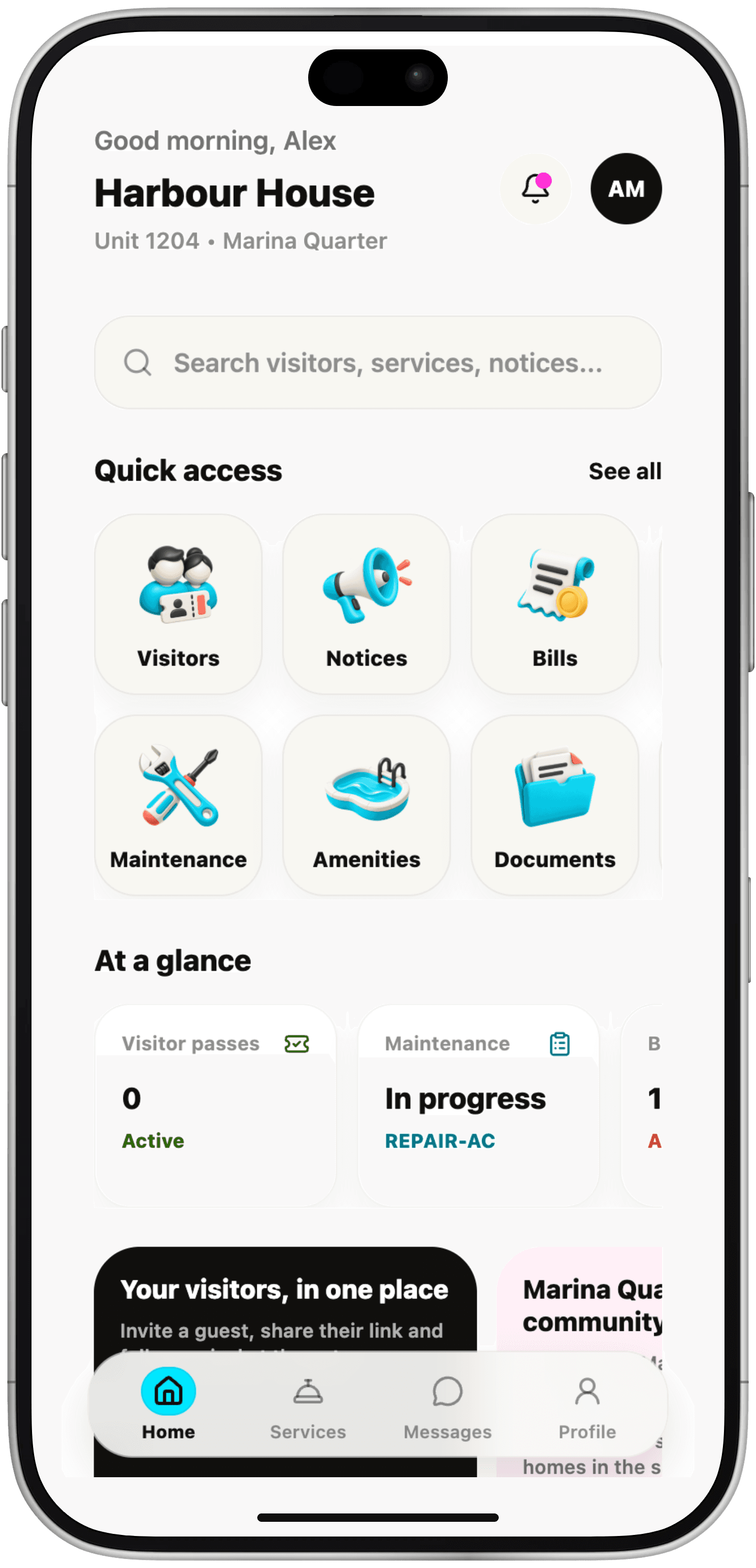
Kommunity resident home for Harbour House, Unit 1204: search, quick access to visitors, notices, bills, maintenance, amenities and documents, and an at-a-glance view of visitor passes and a maintenance request in progress.

Community life happens everywhere. Bring it together.

Notices in one chat. Repair requests in another. Documents somewhere else. Give residents and building teams a shared destination.

A better everyday home.

Invite visitors, report an issue, find a document or catch up on building news. One familiar place for the everyday.

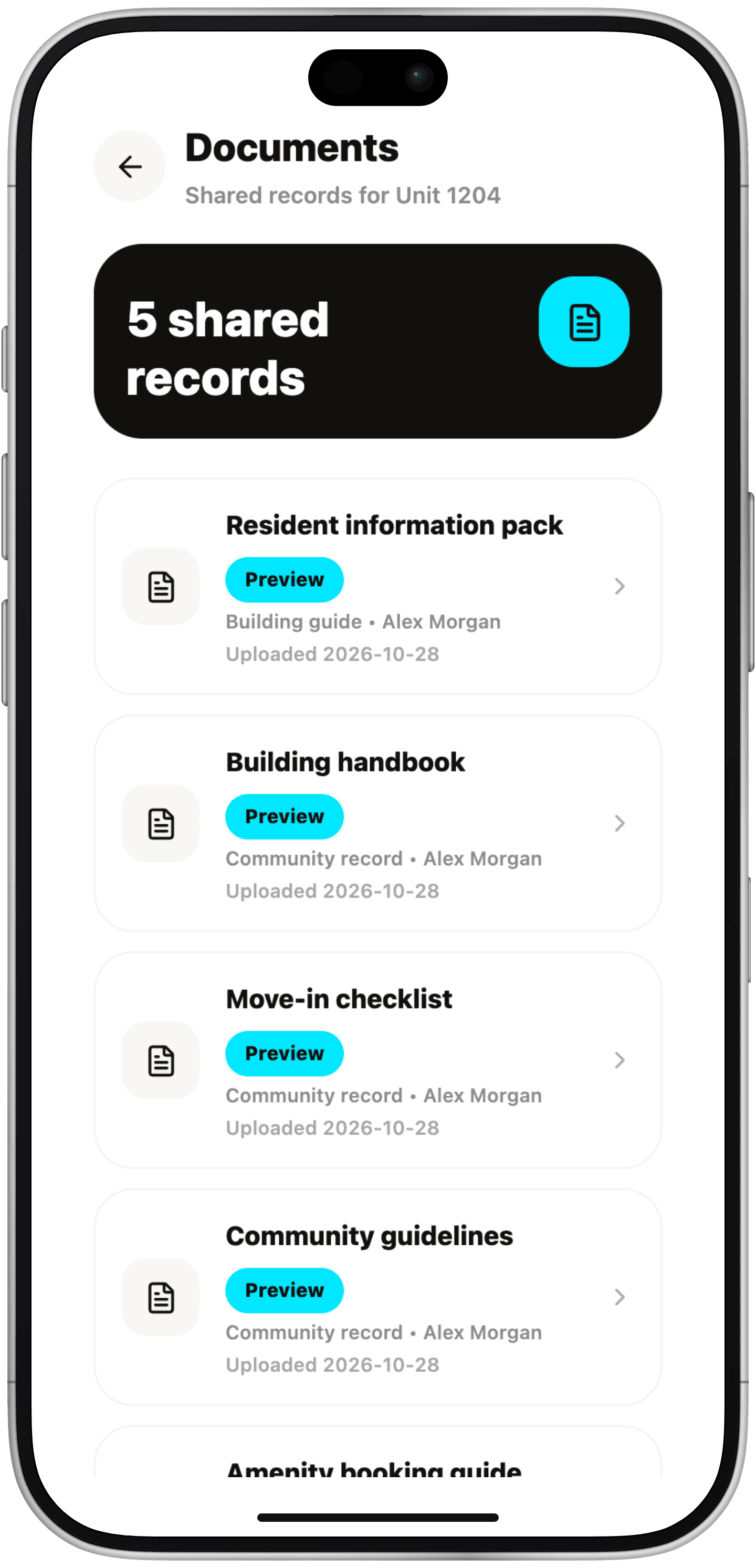
Documents for Unit 1204: five shared records, including the resident information pack, building handbook, move-in checklist and community guidelines.
Documents
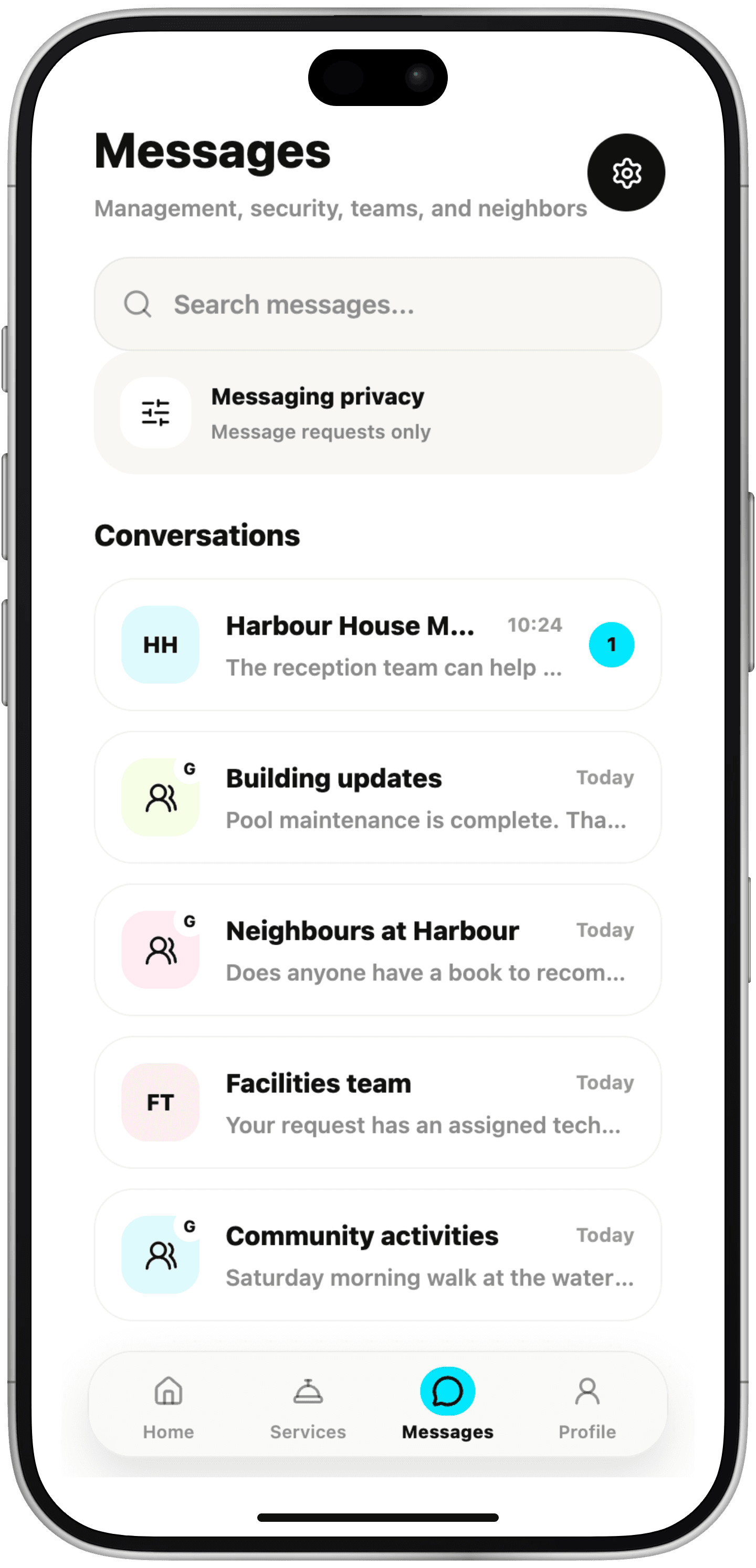
Messages: conversations with the Harbour House management team, building updates, neighbours, the facilities team and community activities.
Messages
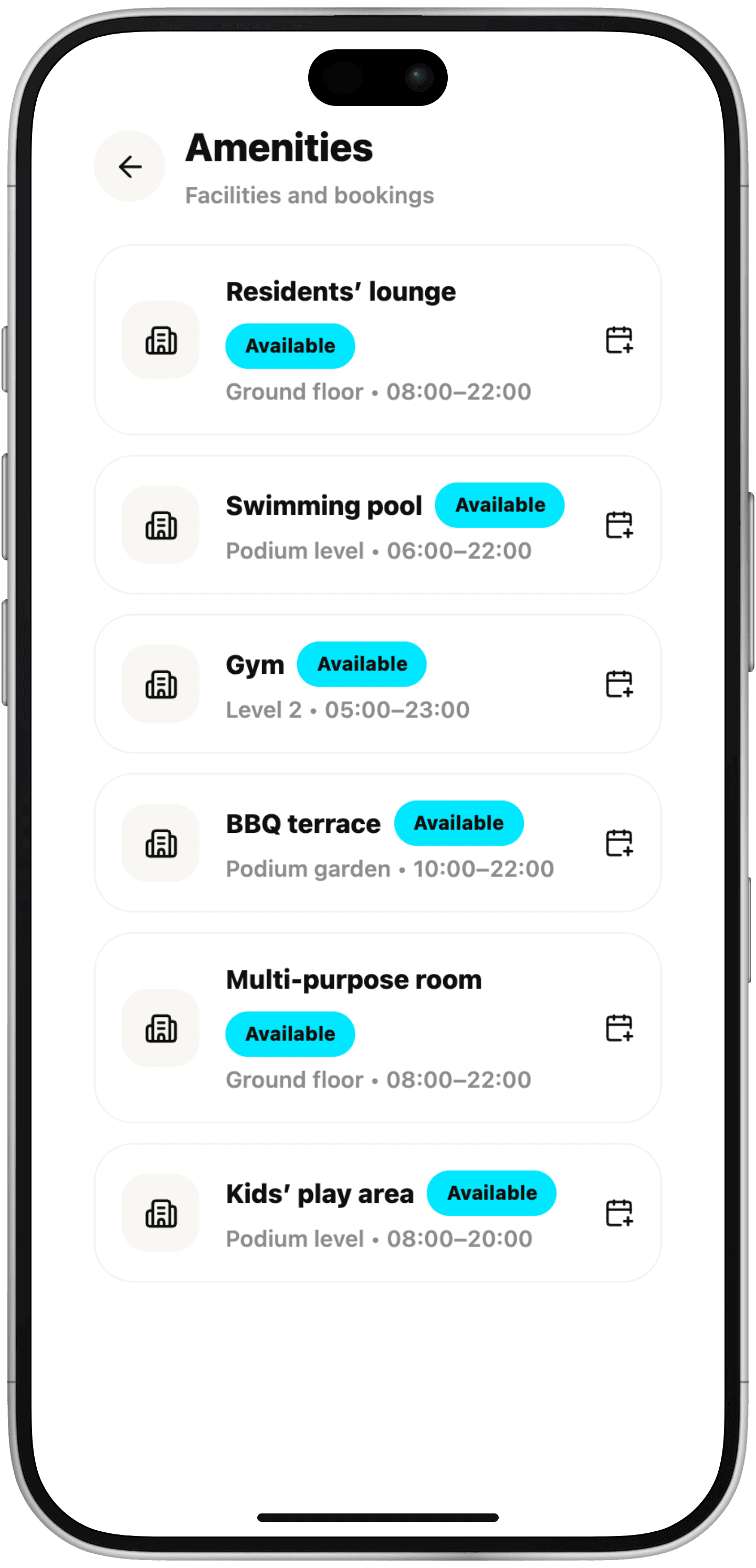
Amenities and bookings: residents' lounge, swimming pool, gym, BBQ terrace, multi-purpose room and kids' play area, each with its location and opening hours.
Amenities
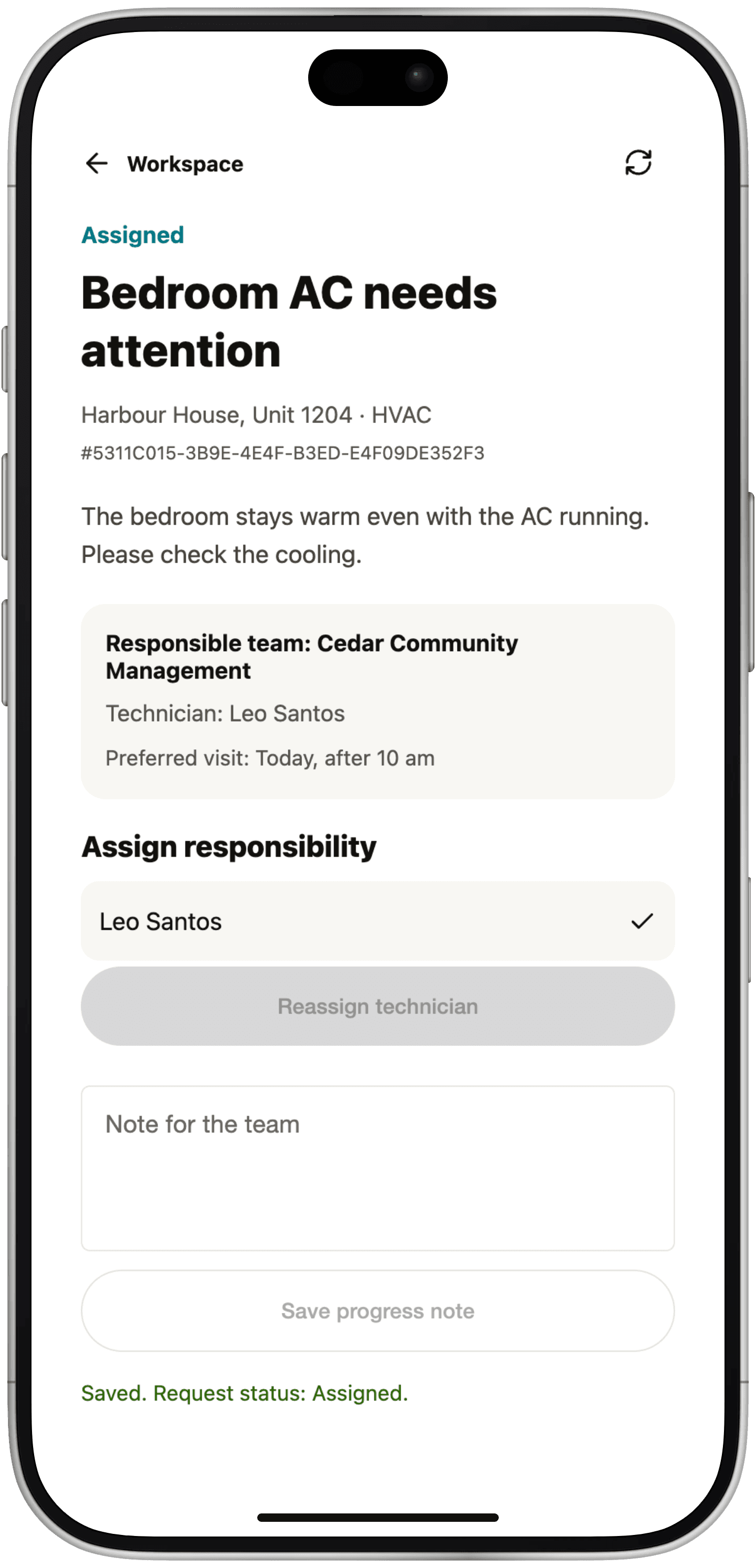
Management workspace: the request Bedroom AC needs attention at Harbour House, Unit 1204, marked Assigned to the Cedar Community Management team with technician Leo Santos, with options to reassign and add a note for the team.

Your communities, in view.

See requests, assign responsibility and follow updates across the buildings your team manages.

  • Know what needs attention.
  • Make responsibility clear.
  • Keep the next person informed.
Request a walkthrough
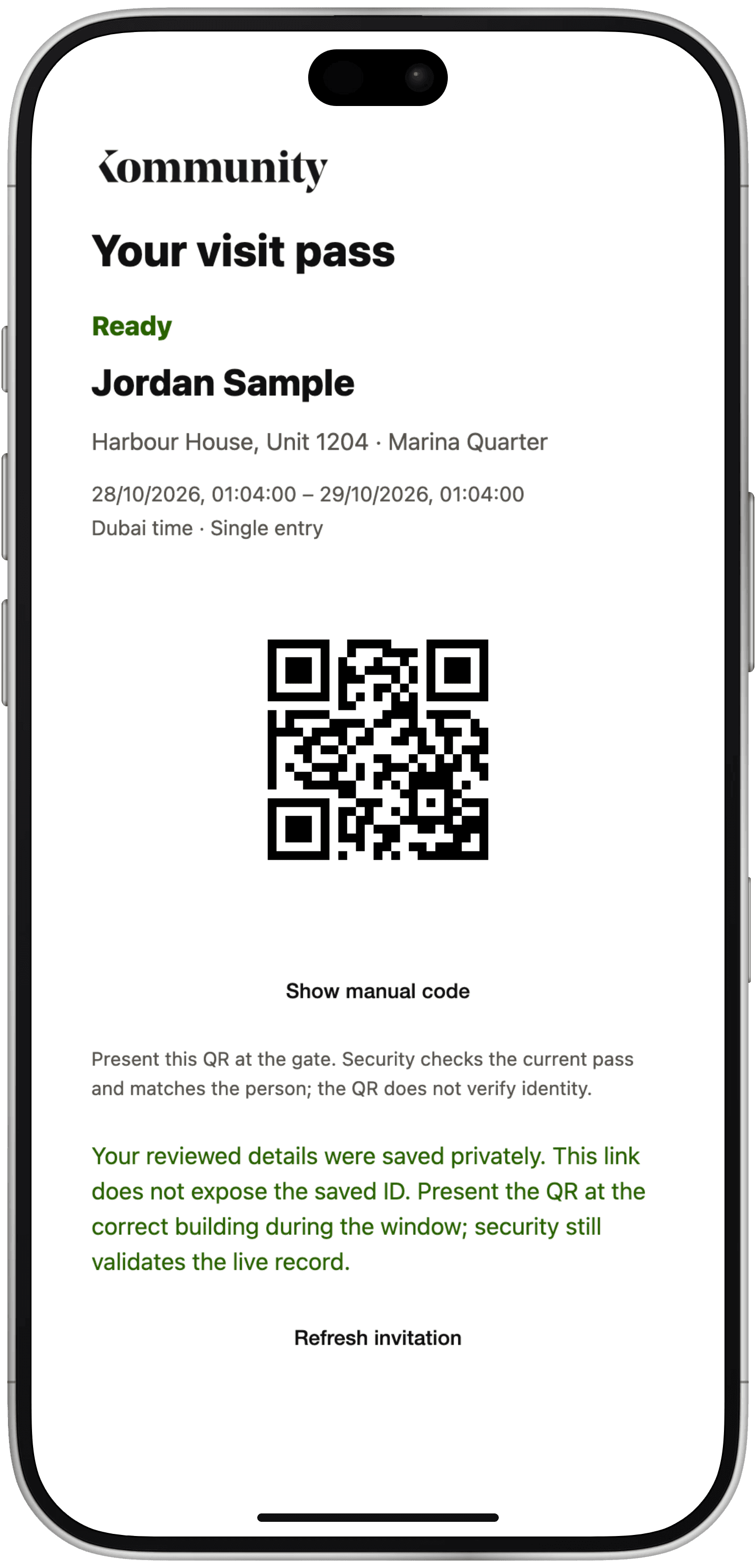
A guest's visit pass, marked Ready, for Harbour House, Unit 1204, with a single-entry visit window in Dubai time and a QR code to present at the gate.

A warmer welcome. A clearer arrival.

Invite a guest, share a pass and keep arrival details in one place.

  1. Invite: Choose the home and visit window.
  2. Prepare: Your guest adds and reviews their details in the browser.
  3. Welcome: Security checks the pass and records entry and exit.
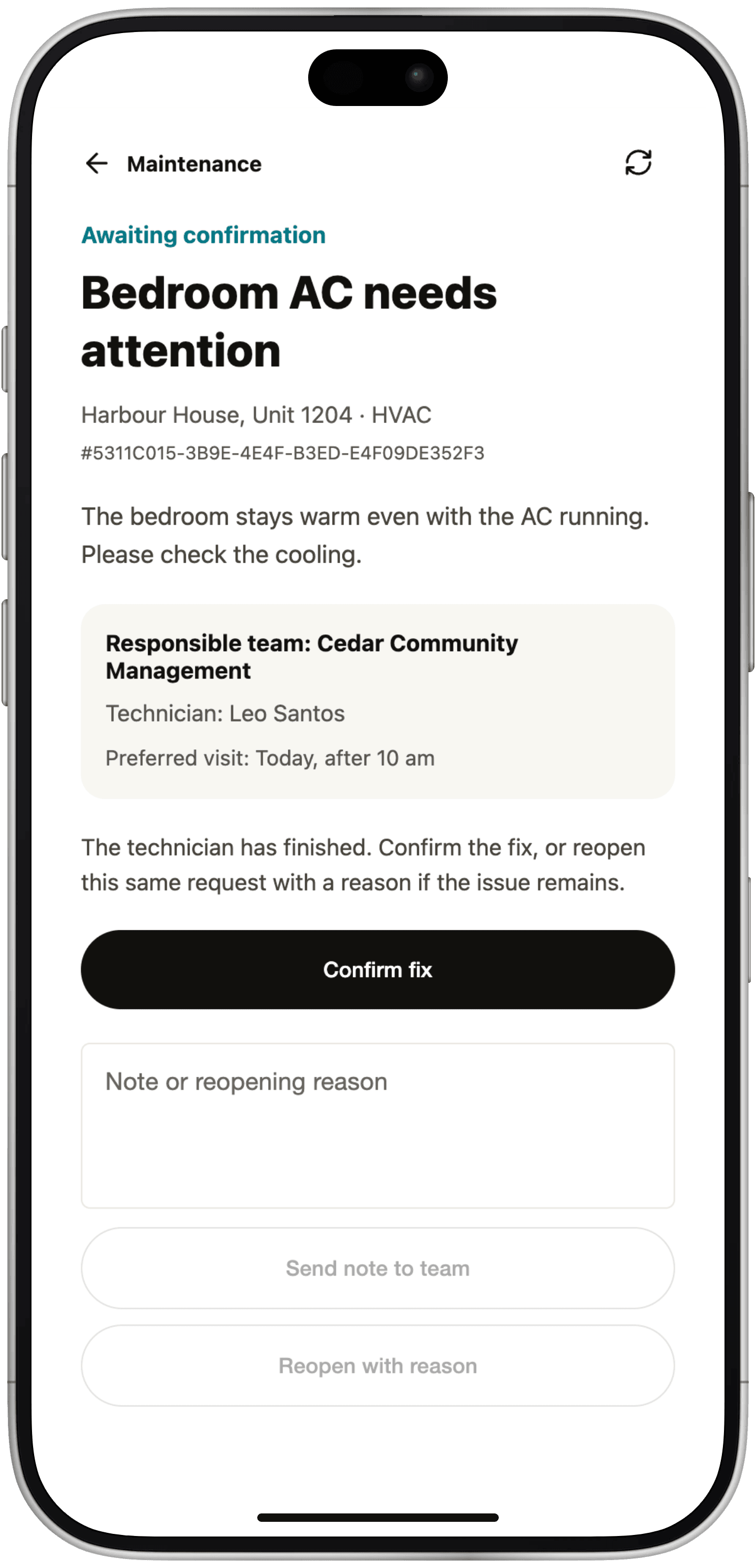
A resident's maintenance request awaiting confirmation: the responsible team and technician, a note that the technician has finished, a Confirm fix button and the option to reopen with a reason.

From a reported issue to a confirmed fix.

Give every request a clear next step, from the resident who reports it to the team responsible for the repair.

  1. Report: Choose the category and describe the issue.
  2. Assign: Route the request to the responsible team.
  3. Resolve: Follow progress, then confirm the fix or reopen the request.

One app.
Six experiences.

The same community, with the tools each person needs.

Management

Follow requests and coordinate responsibility across your communities.

Your team runs the community.We provide the platform.

Keep your team at the centre of resident relationships and day-to-day operations, with Kommunity as the shared place to work.

Let’s talk about your community.

Tell us about the communities you manage and what you’d like to improve. We’ll walk through Kommunity with your team.

Request a walkthrough

Preview: this form isn't connected yet, so requests aren't sent.